2025
B2B
App-Development Tool
Reimagining dev tools: Accelerating module building in an AI-lowcode platform
Role
UX Designer (intern)
Team
Solo product designer
Product Design Lead
Contribution
User research
Ideation
Wireframing
High-fidelity mockups
Timeline
10 weeks
This project is under NDA
The details shared here are as much as I can to ensure the understanding of the project. For the case study, contact me at trushadesign05@gmail.com or on Linkedin.
Overview
When a complex app-building platform slowed development due to fragmented files, unintuitive AI assistance, and code-heavy workflows, I led a redesign to centralize access, introduce role-specific editors, and reduce cognitive load for designers and PMs, resulting in a solution praised by leadership.
80% reduction in debugging time
3x reduction in learning curve
Target users
Engineers
Designers
Product Managers
Why app building became time consuming?
📄
Scattered files and code editors
✨
Unintuitive AI-Powered UI builder
👩🏻💻
Code for most workflows
📆
2+ weeks wait for tech support
As a result…
60%
time lost in navigating scattered logic
5x
slower debugging than writing code from scratch
3x
longer for multi-step, layered configurations
What inspired me?
Visual Studio Code
Excellent file-folder structure with centralized access.
AI CLI integration which made development faster and easier.
Postman
Required only 2 steps to fetch auto-generated headers for data configuration.
Body + URL params were manual but logically grouped and predictable.
Webflow
Touchpoints surfaced in-context, making tasks 5× faster than the AI low-code tool.
Highly intuitive property panel with clear affordances.
Solutions that worked out
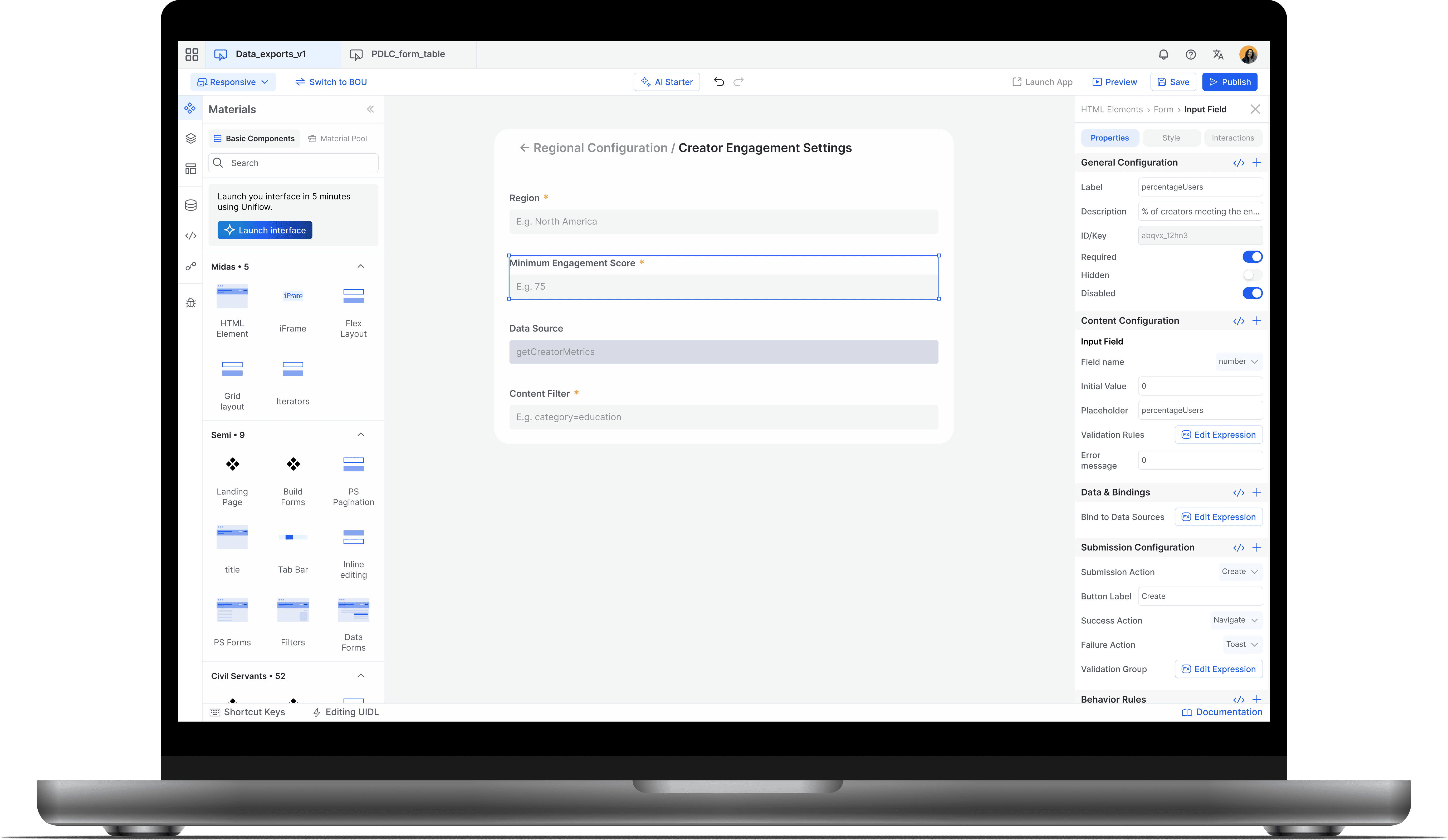
Separate editors
A visual editor for designers and PMs, while a code editor for engineers.
This enables basic configuration of data sources before starting app development.
Centralized Access
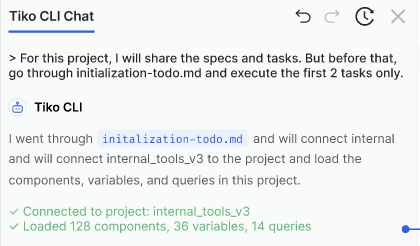
Code files in folders like traditional IDEs. Co-pilot style assistance will create files and store it in the centralized folder.
UI elements and related process can be viewed in the layers panel on the left.
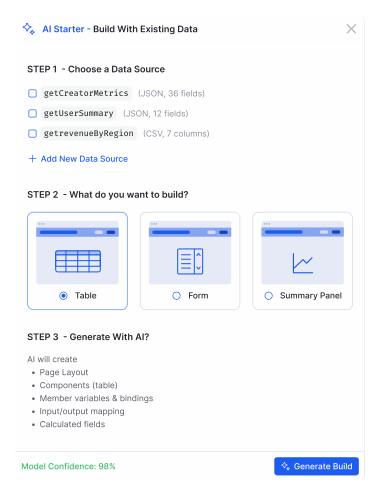
AI-Powered UI Builder
Allowing users to select the data sources configured to get started with basic UI elements.
Users can load data into tables, forms, or summaries.
Contact for full project
Since this project is under NDA, contact me at trushadesign05@gmail.com or on Linkedin for the entire case study.